
Your AI simulation advisor
The
CoEngineer
TM
reads your results so you don't have to guess.
Running a simulation is the easy part, knowing what to do about it is the job. The CoEngineer™ is the AI assistant that reviews each result, spots the problem areas, and tells you in plain language what to change to fix them.

HOW IT WORKS
From raw result to clear next step.
The CoEngineer™ turns a wall of simulation data into a short list of things to fix — and how to fix them.
Assesses the result
It reads your thermal, stress, and density fields the moment a run finishes and finds the hotspots, stress peaks, and out-of-tolerance regions automatically.
Diagnoses the cause
It connects symptoms to physics, explaining why the overhang distorts or the rib over-melts, not just that a number is high.
Recommends the fix
You get concrete, prioritized actions, support changes, pre-heat, power tweaks, cycle adjustments and it can set up the comparison run for you.
Accessable AI
at your fingertips
Expert feedback
.
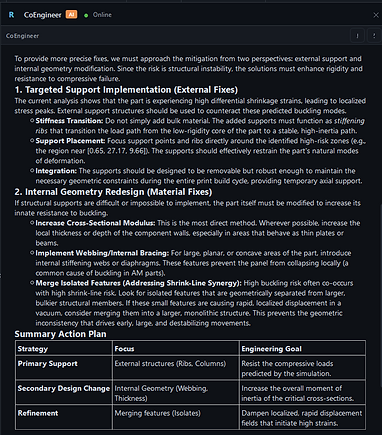
Just ask the CoEngineer™ about your build and it answers in context, pointing to the exact region, explaining the cause, and recommending the fix. It used encrypted communication, so your geometry, process parameters, and results stay yours hardware, which matters when the part is ITAR-controlled or simply proprietary.
✓ Knows your build — reasons about your active project, material, process, and the result on screen.
✓ Actionable, not academic — prioritized fixes you can apply, with the option to launch the comparison run.
✓ Stays private — cloud round-trips optional, no data has to leave the building.